1. Start from a link
Add a gift from any store by pasting its link
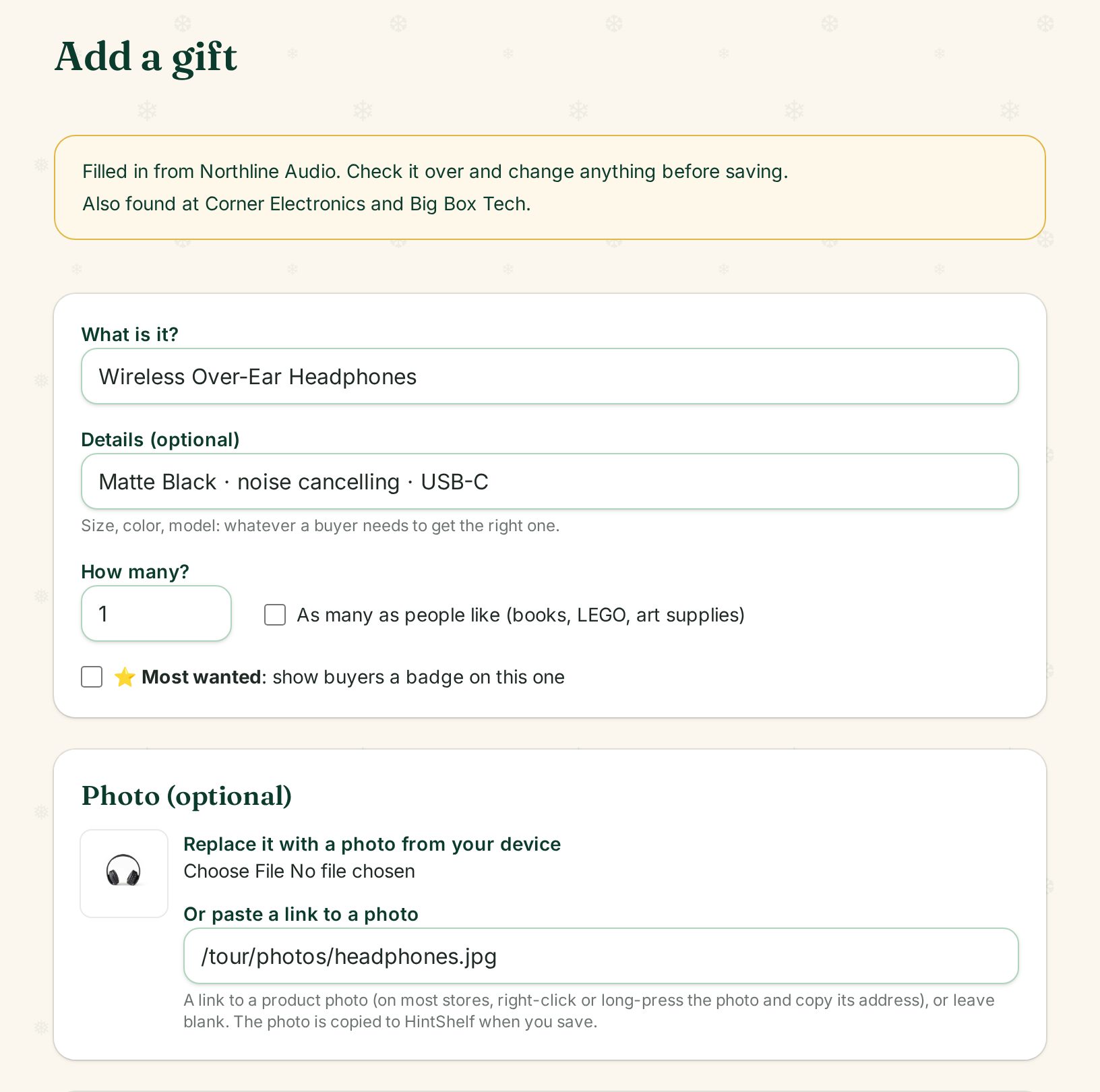
Sam pastes a link to the headphones they want. HintShelf reads the store's page and fills in the name, the photo and the details that matter: Matte Black, noise cancelling, USB-C. Gift-givers get exactly the right one, not a look-alike.
It also looks for the same gift at other stores and suggests a budget. If the link doesn't say which size or color, it asks. Sam checks it over, changes anything, and saves.
2. Share one link
Family and friends mark what they're getting
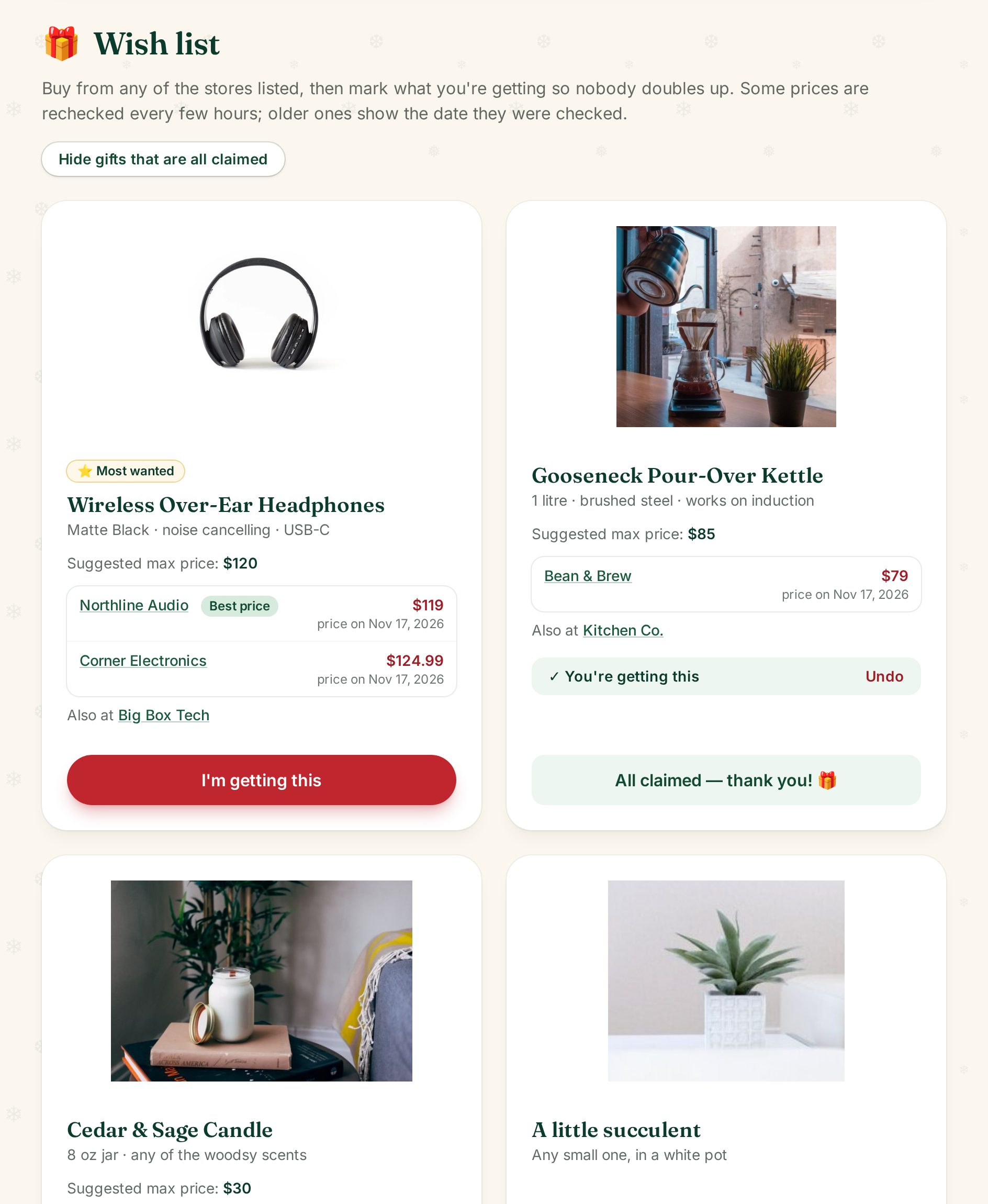
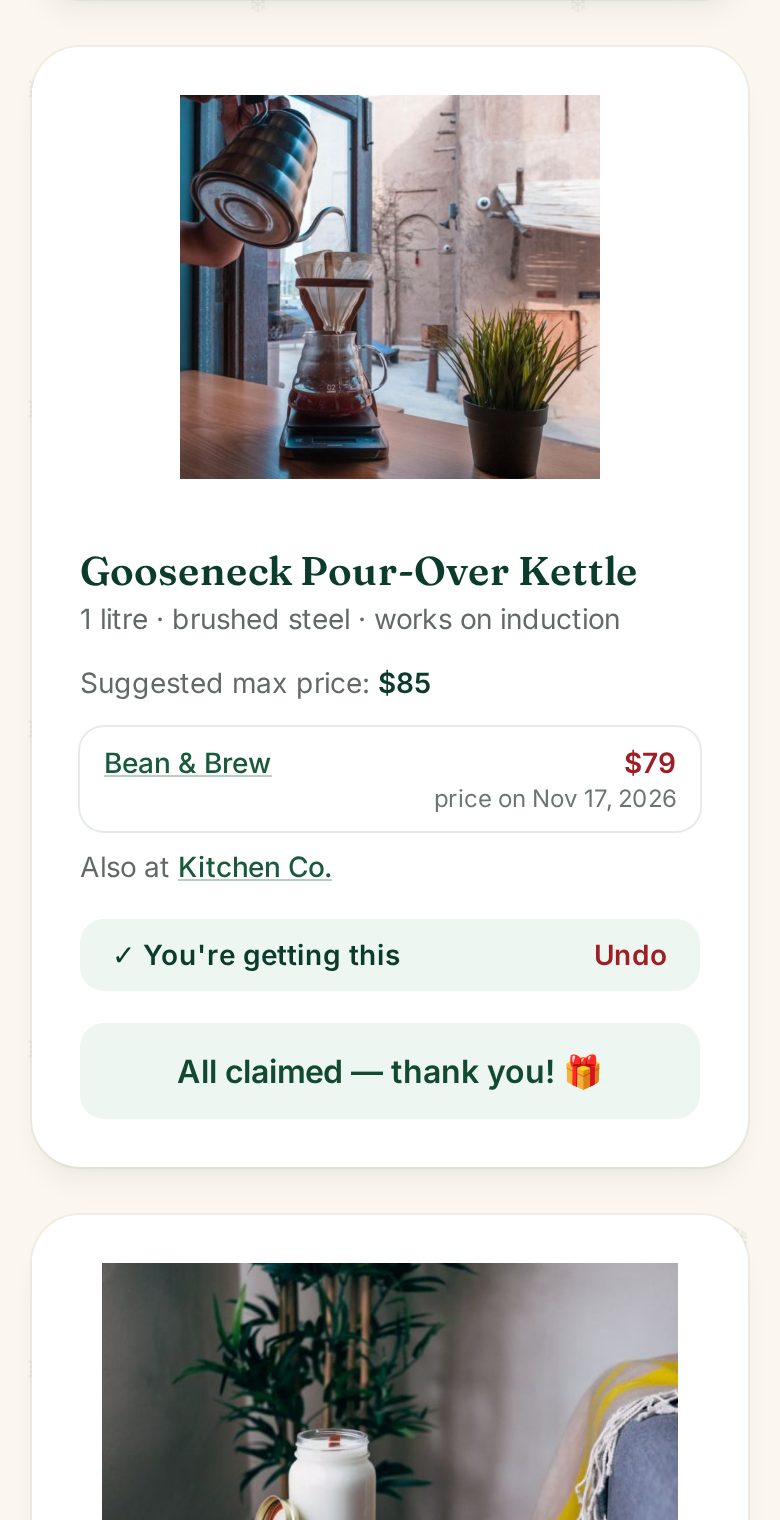
Sam sends the list's link in a text. Grandma Rosa opens it on her phone, with no app to install. She can see the stores, the prices and the suggested budget, and taps "I'm getting this" on the kettle.
Now everyone else sees the kettle is taken, so nobody buys the same thing twice. Marking a gift needs a quick sign-in with Google; looking doesn't.
3. The surprise
Your own list never shows what's been claimed
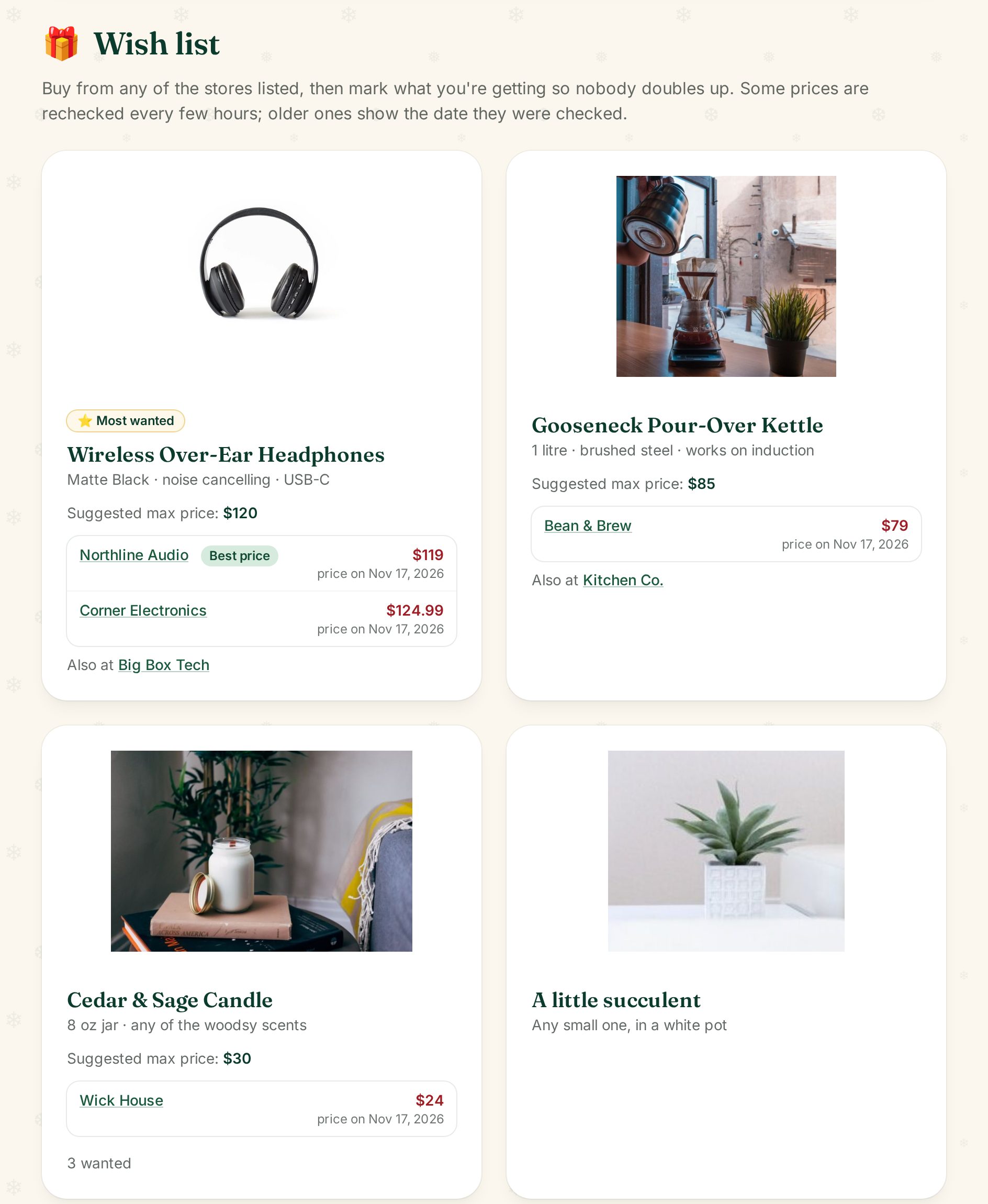
When Sam opens their own list, it looks like nothing has been claimed: no checkmarks, no counts, no names. The kettle Grandma is getting still looks available.
So Sam can keep adding to the list all year without spoiling anything.
4. Big-ticket gifts
Chip in together on something bigger
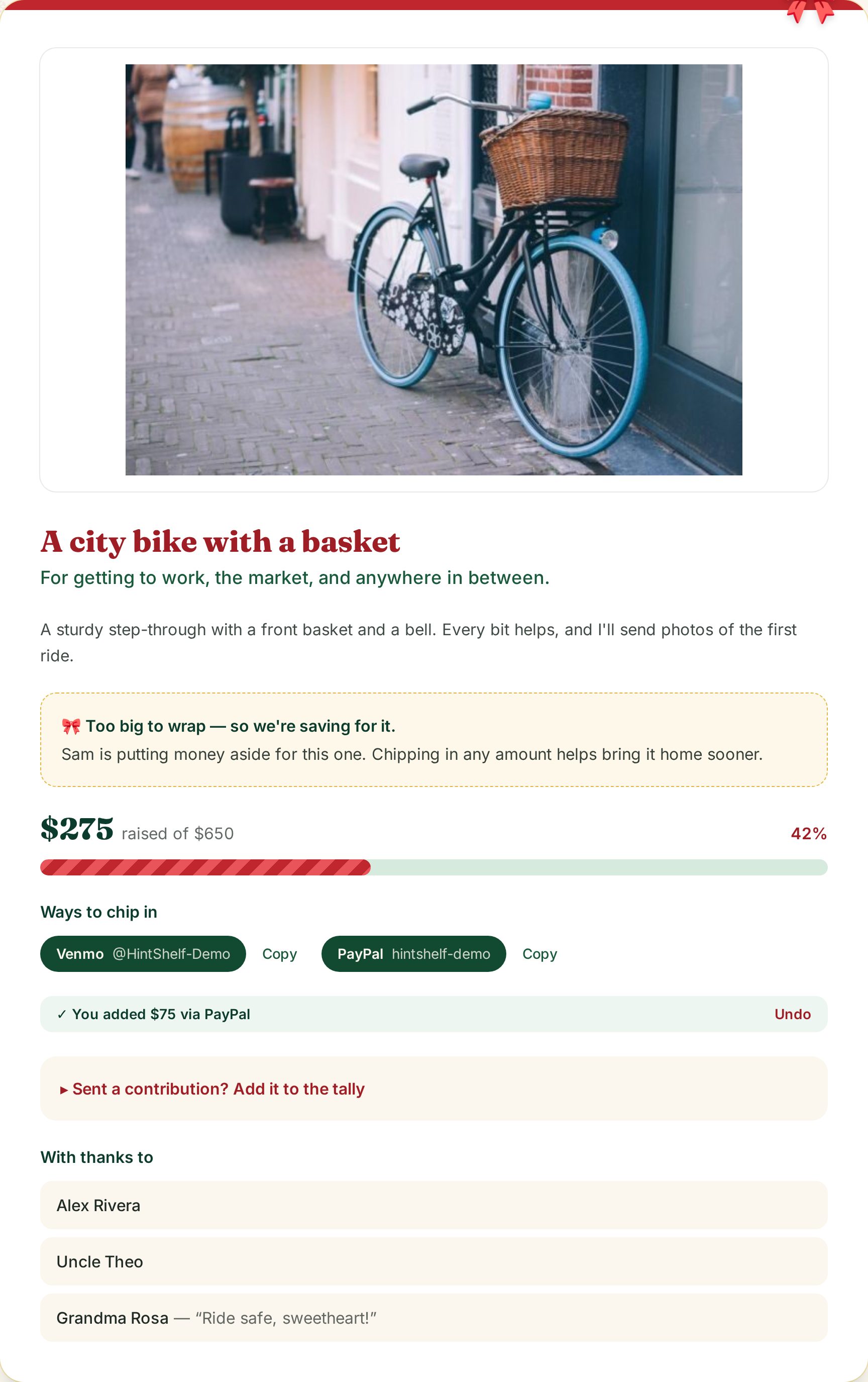
Sam's saving for a city bike, which is too much for one person. Grandma, Uncle Theo and Alex each send what they like straight to Sam by Venmo or PayPal, then add it to the tally, with a note if they want.
HintShelf never handles money. It just keeps the progress bar honest.
5. Lists for kids
Parents run the list, and see who's getting what
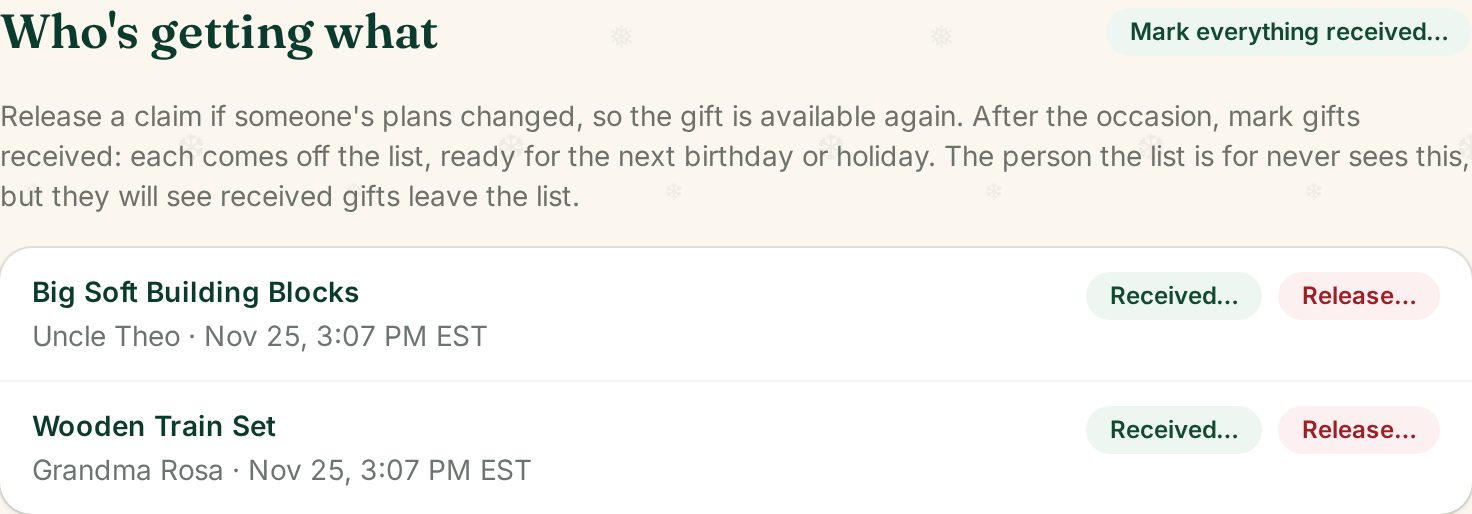
Maya is seven, so her parents, Alex and Jordan, run her list together. They see who's getting what: Grandma has the train, Uncle Theo the blocks.
If plans change, they can release a claim. After the holidays they mark gifts received, and the list is ready for her birthday.
6. Family groups
Everyone's lists on one page
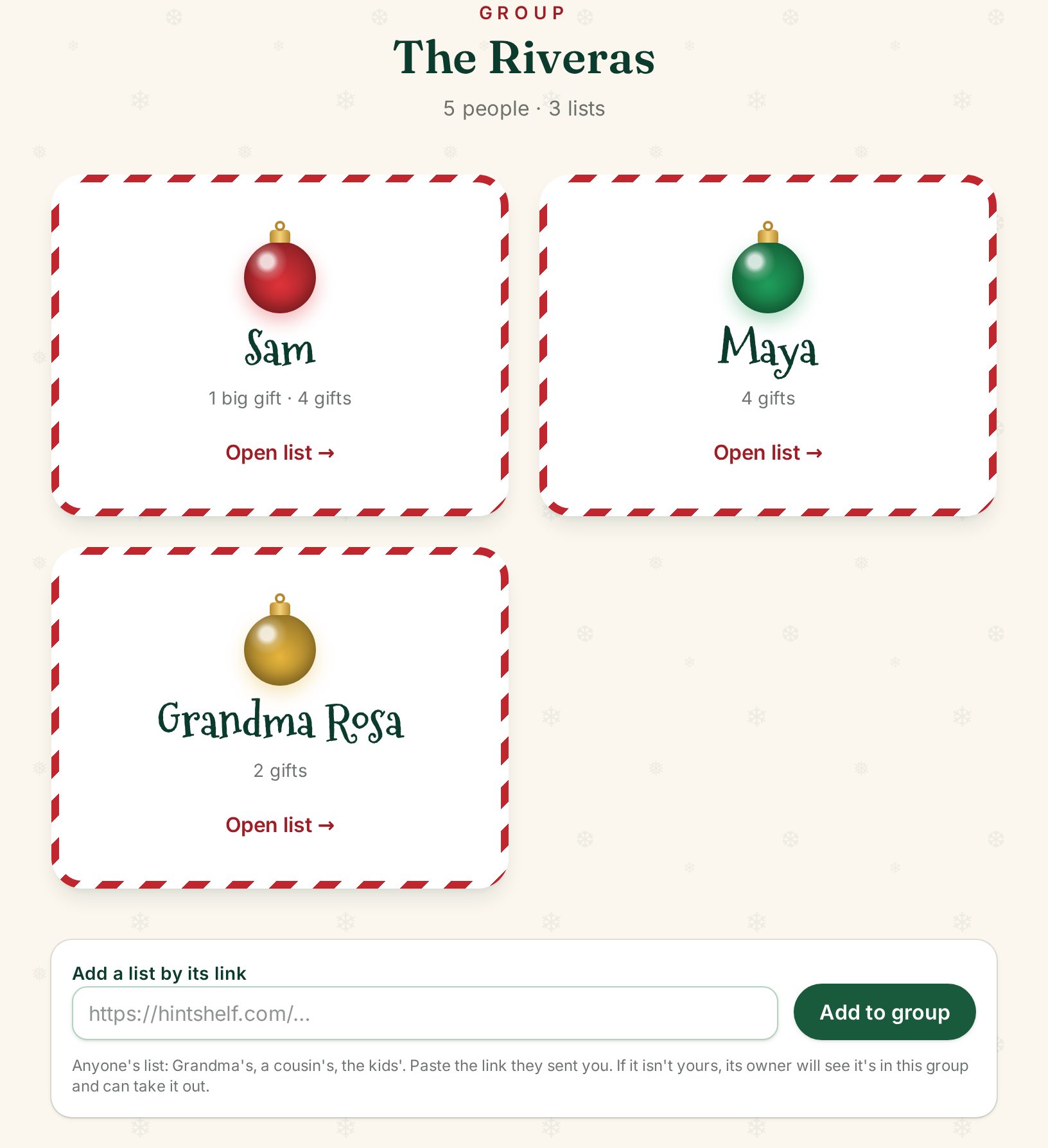
The Riveras keep all their lists in one group: Sam's, Maya's and Grandma Rosa's. Share the group's invite link once, and the whole family can find every list.
Anyone in the group can add a list they have the link to. Alex added Grandma's, since she was never going to do it herself.
7. Your list, your call
See which groups your list is in, and take it out anytime
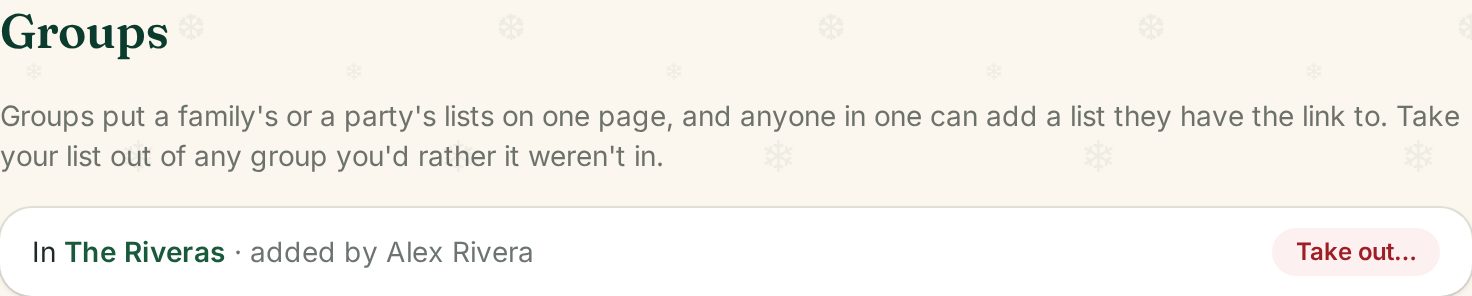
Grandma can see her list is in The Riveras, and that Alex added it. If she'd rather it weren't there, one tap takes it out, and that group can't add it back unless she allows it.
8. All in one place
Your lists, your groups, and the gifts you're getting
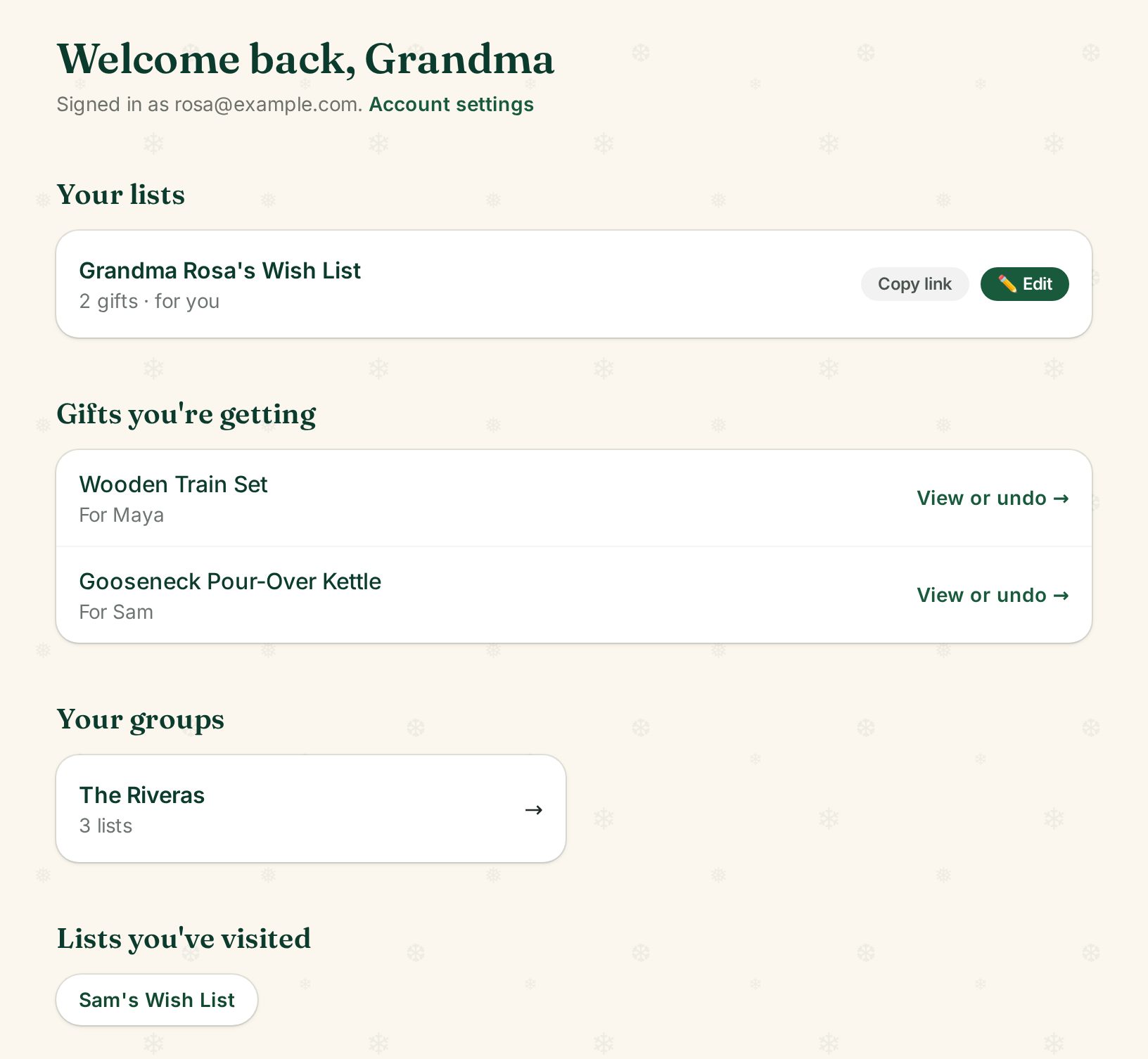
Grandma's home page keeps it all together: her own list, the gifts she's getting for Sam and Maya, and the family group.
Make your own list
Free, no ads, and ready to share in a couple of minutes.
The Riveras and their gifts are made up, and the stores are examples. Product photos are free stock photos.